
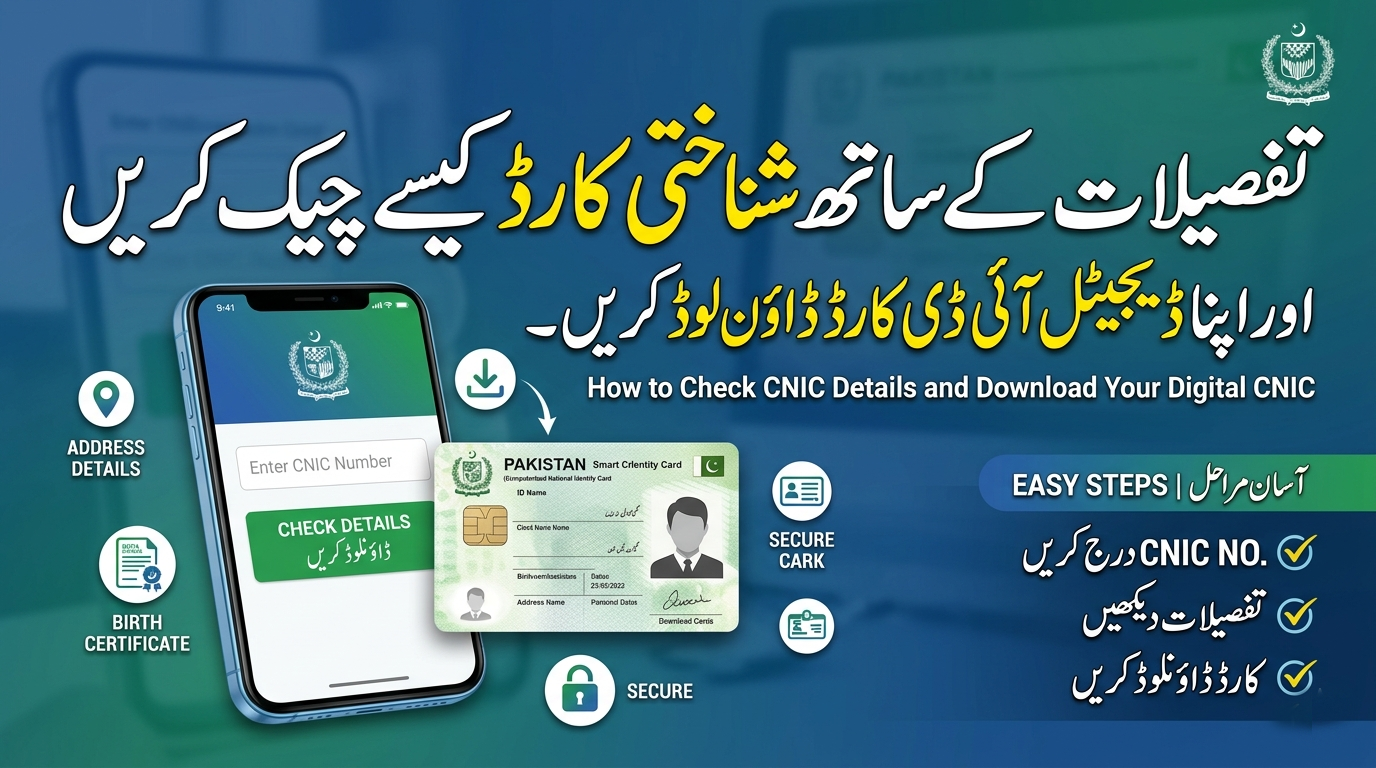
To check CNIC details with a picture online in Pakistan, citizens must use official platforms provided by the National Database and Registration Authority (NADRA), such as the Pak Identity web portal or the official mobile app. Due to strict privacy laws, you cannot legally access another person’s ID card picture using third-party websites simply by entering their CNIC number.
The Computerized National Identity Card (CNIC) serves as the core identification document for citizens of Pakistan. Issued by NADRA, this card contains essential demographic data, a unique 13-digit identity number, biometric markers, and a photograph. Whether you need to verify your own information for a banking application, update your official records, or process a government request, accessing these details accurately is highly important.
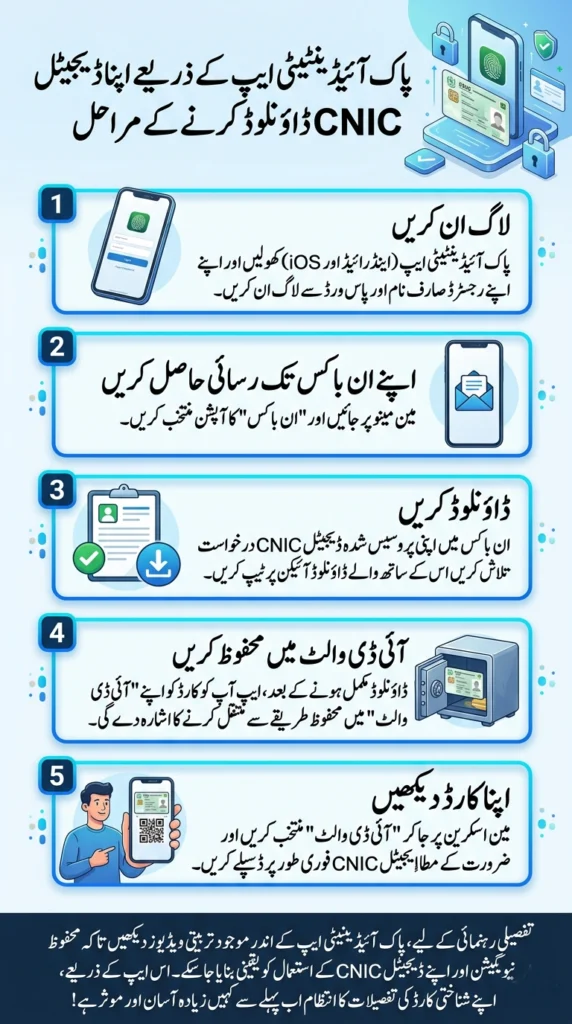
Steps to Download Your Digital CNIC Using the Pak Identity App
Downloading your Digital CNIC through the Pak Identity app is a fast and secure process. Here is a step-by-step guide to help you access your dematerialized (digital) CNIC:
- Log In
Open the Pak Identity App (available on both Android and iOS devices) and log in using your registered credentials. - Access Your Inbox
Navigate to the main menu and select the Inbox option. - Download
Locate your processed Digital CNIC application in the Inbox and tap the Download icon next to it. - Save to ID Vault
After the download completes, the app will prompt you to transfer or save the card securely to your ID Vault. - View Your Card
Access your Digital CNIC anytime by going to the main screen, selecting ID Vault, and displaying your card instantly as required.
For detailed guidance, refer to instructional visuals within the Pak Identity app to ensure secure navigation and handling of your Digital CNIC. Managing your ID card details has never been easier.
Many people search for quick ways to verify their identity online. You might want to view your registered photo or confirm that your residential data is up to date. This guide explains the official methods available for verifying your identity securely.
How can I check CNIC details with a picture online in Pakistan?
The safest and most reliable method to check CNIC details with a picture online is through the official NADRA Pak Identity portal. NADRA manages the central database for all Pakistani citizens. To protect personal data, NADRA requires users to create an account on their Pak Identity website. Once registered and logged in, you can apply for card renewals, modifications, and view the current status of your application. During the renewal or modification process, the portal displays your existing demographic details and prompts you to upload a new photograph, effectively allowing you to check my CNIC details securely.
Avoid unauthorized third-party websites that claim to offer a free ID card detail check online. These unofficial sites often compromise personal data and violate national privacy regulations.
Is there an official app to check CNIC details with a picture?
Yes, NADRA offers a dedicated mobile application called the Pak Identity app. This application enables users to process identity applications directly from their smartphones. By downloading the official app from the Google Play Store or Apple App Store, users can log into their registered accounts.
While searching for a check cnic details with picture app, citizens often encounter third-party applications making false promises. You should only use the official Pak Identity app. This authorized application allows you to capture biometric fingerprints, scan documents, and capture a fresh photograph using your phone’s camera to update your existing identity profile.
How do I check CNIC details with a number?
If you only need to verify the authenticity of a 13-digit identity number rather than viewing a photograph, NADRA provides an official SMS verification service. You can send the 13-digit CNIC number (without dashes) to the designated official code (such as 7000 or 8009, depending on the specific verification service required by NADRA).
This method will reply with the registered name associated with that specific ID card number. It is a highly effective way to perform an ID card number check online or via mobile without needing an internet connection.
Can I check an ID card picture by CNIC number in Pakistan?
Strict privacy policies govern the release of biometric and photographic data in Pakistan. You cannot legally check an ID card picture by CNIC number Pakistan for another citizen. NADRA restricts the display of photographs solely to the authorized account holder within the Pak Identity framework or to authorized law enforcement and banking entities through secure biometric verification systems (BVS). If you need to verify someone’s identity for a business transaction, you must rely on official biometric verification devices rather than searching for pictures on the web.
Secure Your Identity and Verify Through Official Channels
Protecting your personal data should always be your top priority.. Always rely on NADRA’s official digital infrastructure when you need to check cnic details with picture online. If your current ID card is nearing expiration, or if you suspect any errors in your registered data, visit the Pak Identity portal or your nearest NADRA registration center to initiate a formal review.
Frequently Asked Questions
What is the official ID card detail check online portal?
The only official portal for checking and updating ID card details in Pakistan is the NADRA Pak Identity website (id.nadra.gov.pk). This portal requires account registration to ensure user data remains secure.
How can I perform an ID card number check online securely?
To check a CNIC number securely, you can use the NADRA SMS verification service by texting the 13-digit number to the official shortcode provided by the authority. This returns the registered name to confirm the card’s validity.
Why can’t I find a free website to check my CNIC details with a picture?
NADRA does not expose citizens’ photographs to public databases due to strict privacy and security laws. Any website claiming to show pictures by entering a CNIC number is likely fraudulent and should be avoided to prevent identity theft.